




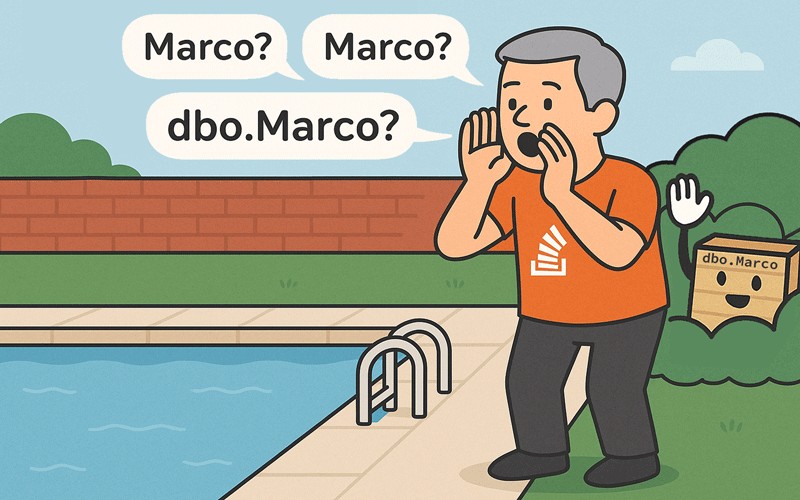
This post is part of a series on common issues encountered in SQL Server. This time, we’ll talk about the invalid object name error:
|
1 2 3 |
Msg 208, Level 16, State 1 Invalid object name '{object_name}'. |
Causes of the Invalid Object Name error in SQL Server – and how to prevent it
Typo
The object really could just be spelled wrong – I couldn’t tell you how many times I had an obvious typo staring me in the face, and was convinced SQL Server was wrong. Always use copy & paste or, better yet, rely on IntelliSense/auto-complete – that’s why they’re there.
Additionally, products like Redgate’s SQL Prompt feature Intelli-Sense-style auto-complete built in to the tool.
You could also be using a case or binary-sensitive database or instance. In a case-sensitive database, for example, the following will yield the invalid object name error:
|
1 2 3 |
CREATE TABLE dbo.Users(UserId int); SELECT UserId FROM dbo.users; |
The object doesn’t exist yet
Sometimes this error just stems from creating objects in the wrong dependency order. SQL Server allows you to take advantage of deferred name resolution with stored procedures; for example:
|
1 2 3 4 5 |
CREATE PROCEDURE dbo.ExampleProcedure AS SELECT ColumnName FROM dbo.does_not_exist_yet; |
SQL Server lets you create the procedure with an invalid reference, trusting that you’ll get around to creating the object prior to execution. This will also work with scalar functions. You can’t do the same with views (or table-valued functions):
|
1 2 3 4 5 |
CREATE VIEW dbo.ExampleView AS SELECT ColumnName FROM dbo.does_not_exist_yet; |
Trying to create this view yields the invalid object name error.
Wrong object type
You may have created a scalar function but are trying to call it like an inline table-valued function, or a multi-statement table-valued function if you’re into those for some reason (but generally they should be avoided). The following code returns the invalid object name error message, but I think a more dedicated error would be better:
|
1 2 3 4 5 6 7 8 9 |
CREATE FUNCTION dbo.ExampleScalar() RETURNS int AS BEGIN RETURN (SELECT i = 1); END GO SELECT * FROM dbo.ExampleScalar(); |
Wrong version/environment
You may have grabbed sample code from somewhere and tried to use it in an older version, where that object simply didn’t exist yet. For example, one of the new internal tables in SQL Server 2025 is called sys.pause_resume_history. If you try to query this table in SQL Server 2022 or lower, you will get the invalid object name error.
Or you may have expected – maybe even really, really wanted – an object available in Azure SQL Database or Azure SQL Managed Instance to also be present on-premises. Some examples of this are sys.dm_db_resource_stats and sys.server_resource_stats. If you try to access these views in any on-premises version of SQL Server – even SQL Server 2025 – you will get invalid object name.
The reverse can also be true – trying to reference a system object in a cloud platform that only exists in on-premises versions.
Wrong scope
It is possible you created a #temp table but it’s no longer in scope, because:
- It was created in dynamic SQL, for example:
|
1 2 |
EXEC sys.sp_executesql N'CREATE TABLE #a(i int);'; SELECT * FROM #a; |
- Your session was disconnected.
- The server restarted/failed over.
Similar things can happen when a global ##temp table falls out of scope for any of the above reasons, or just because the last active session touching it ended.
Note: I know of very few use cases for global ##temp tables. Fellow SQL Server MVP Erland Sommarskog mentions them briefly in this Microsoft Q&A.
Wrong schema
The object could be in dbo but you are specifying a different schema, or vice-versa.
It could also be that you are not specifying a schema in your object reference at all, but you nearly always should, aside from this convenient exception. When you don’t specify the schema, this is what happens:
- SQL Server will check your default schema first. If it finds the object, cool!
- If the object isn’t in your default schema, but it is in dbo, cool!
- The other way around doesn’t work. If it doesn’t find the object in your default schema or dbo, it’s not going to search all the other schemas, even the ones you have access to. This is why you should (again, almost) always be explicit.
Enjoying this article? You may also be interested in:
- What happens when your AI coding agent starts a database on its own (building an app with AI, part six)
- Should your SQL Server database use foreign key constraints?
- How a Microsoft-signed SQL Server stored procedure lets sysadmins bypass disabled xp_cmdshell
- How to delete personal data for GDPR & CCPA compliance
- How to avoid demo fails when presenting at tech conferences
Wrong database
This is actually pretty common. You either created the object in the wrong database (typically in master), or you are not in the database you thought you were (also, typically, in master). Make sure your query window sets the context to the right database and that your application includes the database name in the connection string. It might work fine until, for example, someone recreates a login or changes its default database.
Wrong server/instance
There are several flavors here:
- You may have created the object in SQL Server Management Studio, then connected your app (or a different query window) to the wrong instance. You might have a default instance alongside a named instance (e.g.
\SQLEXPRESS), and SSMS is connected to one, but the app is connected to the other. I talk about this scenario and others like it in When an update doesn’t update. - An all-too common one here is when using SQL Server Express Edition and the deprecated
UserInstances/AttachDbFileNamesettings, where you have created the object in one instance, then the app or SQL Server Management Studio conveniently created a brand new one for you. I talk about this ill-fated “feature” here in Bad Habits: Using AttachDbFIleName. - You created a synonym or view and the object it points to has since moved (or, in the case of a synonym, it never existed).
- You are running SSMS in SQLCMD mode and are in the wrong :CONNECT context.
Conclusion
Those are the most typical reasons I’ve seen for the invalid object name error. Do you know of other scenarios I haven’t covered? Let me know down in the comments.
FAQs: Common SQL Server Problems: Invalid Object Name
1. What does ‘Invalid object name’ mean in SQL Server?
It means SQL Server cannot find the referenced object, often due to typos, missing objects, or incorrect schema/database context.
2. How do I fix an invalid object name error in SQL Server?
Check for spelling mistakes, confirm the object exists, ensure you’re in the correct database and schema, and verify your connection context.
3. Can case sensitivity cause invalid object name errors in SQL Server?
Yes, because in case-sensitive databases, object names must match exactly in case. For example, dbo.Users and dbo.users are different.
4. Why does this error occur after creating a stored procedure?
SQL Server allows deferred name resolution in procedures, so missing objects won’t trigger errors until execution.
5. How can I prevent invalid object name errors?
Use tools like Redgate SQL Prompt for IntelliSense and auto-complete, always specify schema names, and double-check your database context.
This document contains proprietary information and is protected by copyright law.
Copyright © 2026 Red Gate Software Limited. All rights reserved




Load comments